Creating high-quality, error-free content has become essential for online success. When your website contains spelling mistakes and grammar errors, it doesn’t just frustrate readers, it can seriously impact your search engine rankings and credibility. This guide explores the best tools to help you catch these errors before they damage your SEO performance.
Why Spelling Mistakes Actually Hurt Your SEO Rankings
While Google has stated that spelling and grammar aren’t direct ranking factors, the impact is very real through indirect means. When content contains errors, several things happen that negatively affect your rankings.
The Indirect SEO Impact
Search engine crawlers struggle to understand what your page is about when there are too many errors. John Mueller from Google explained that excessive spelling mistakes create a “gray area” where bots can’t properly categorize content. This affects your ability to rank for target keywords.
More importantly, user behavior changes dramatically when visitors encounter errors. Research shows that landing pages with spelling and grammar mistakes experience bounce rates 85% higher than error-free pages. High bounce rates signal to Google that your content isn’t valuable, directly impacting your search position.
Trust and Credibility Matter
Studies reveal that 70% of website visitors are less likely to click on content with visible spelling errors. When potential customers see mistakes, they question your professionalism and expertise. This loss of trust means fewer backlinks, lower engagement, and ultimately, poorer SEO performance.
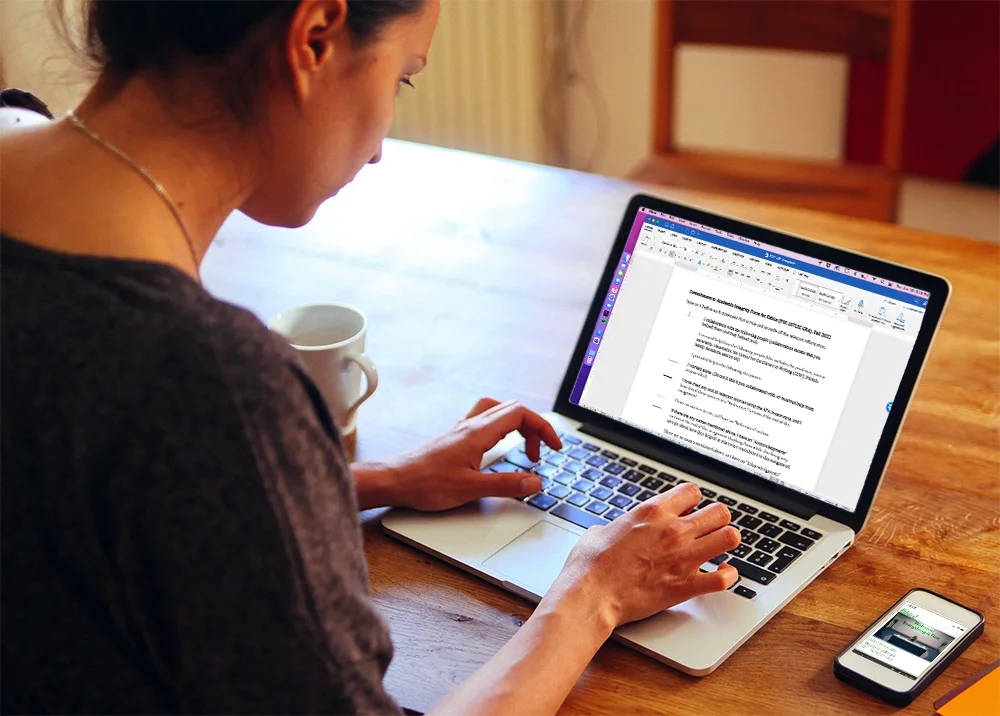
Best Grammar and Spell Checker Tools for 2024-2025
Grammarly: The Industry Leader
Grammarly remains the most popular writing assistant, used by over 30 million people worldwide. The platform offers both free and premium options with significantly different capabilities.
Free Version Features:
- Unlimited word count checking
- Basic grammar, spelling, and punctuation corrections
- 100 AI prompts per month
- Browser extensions for Chrome, Firefox, Safari, and Edge
- Integration with 500,000+ apps and platforms
Grammarly Pro Pricing (formerly Premium):
- Monthly: $30/month
- Quarterly: $20/month ($60 billed quarterly)
- Annual: $12/month ($144 billed annually)
- With available discounts: As low as $9/month
What Makes Grammarly Stand Out:
The interface is incredibly clean and intuitive with zero learning curve. You can start using it effectively within minutes. The tool catches errors that other checkers miss, particularly contextual mistakes where words are spelled correctly but used incorrectly.
Grammarly Pro includes advanced features like tone adjustment, plagiarism detection (scanning 16 billion web pages and academic databases), vocabulary enhancement, and 2,000 AI prompts monthly. The business plan has been replaced with an Enterprise option for larger organizations.
Best For: Professionals, students, bloggers, and anyone who writes daily across multiple platforms. The seamless integration means it works wherever you type—from Gmail to Google Docs to social media.
ProWritingAid: The Writer’s Powerhouse
ProWritingAid is specifically designed for creative writers and long-form content creators. While its interface isn’t as polished as Grammarly, it offers unmatched depth for serious writers.
Pricing Structure:
- Monthly: $30/month
- Annual: $120/year (often available at $96 with 20% discount)
- Lifetime: $399 one-time payment (sometimes $319 with discounts)
- Premium Pro: $144/year or $499 lifetime
Standout Features:
ProWritingAid generates over 25 detailed reports covering every aspect of your writing, from clichés and pacing to overused words and sentence structure. The tool is particularly powerful for analyzing entire manuscripts, though it works best when checking smaller sections (under 20,000 words at a time).
The free version allows checking 500 words at a time, making it useful for quick edits but limiting for longer content. Premium members get unlimited word counts and access to all reports.
Unique Capabilities:
- Chapter Critique for novel structure analysis
- Pacing Check to identify slow sections
- Dialogue tags analyzer
- Comparison with published authors in your genre
- Virtual Beta Reader feedback
- Integration with Scrivener (perfect for novelists)
Best For: Fiction writers, novelists, academics working on dissertations, and anyone creating long-form content who wants deep stylistic analysis beyond basic grammar checking.
Where It Falls Short:
The interface feels cluttered compared to Grammarly. New users face a learning curve understanding the various reports and how to apply feedback. The tool can also slow down when processing very large documents (100,000+ words).
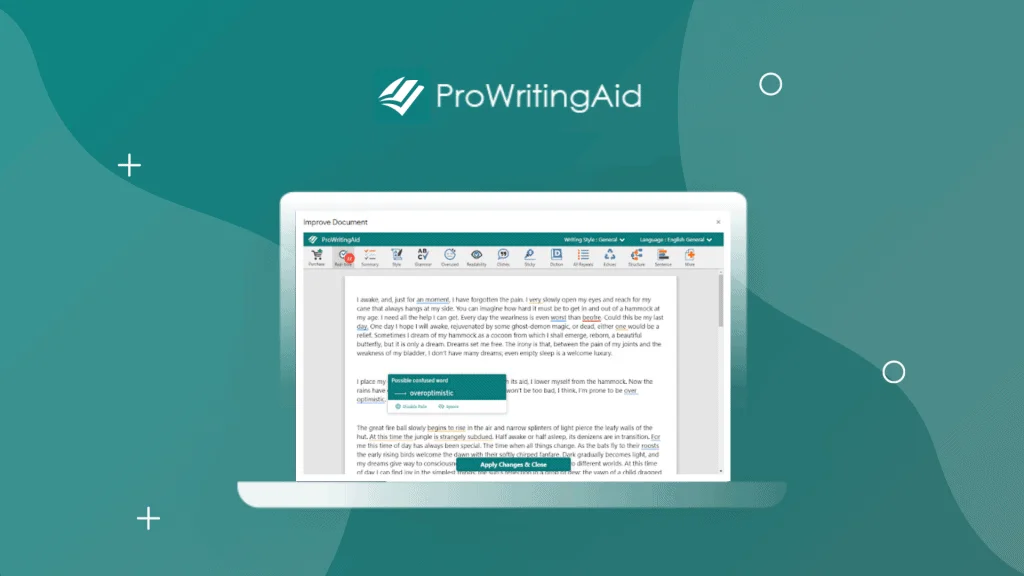
The Key Difference Between Grammarly and ProWritingAid
Based on extensive testing, Grammarly excels at everyday writing, emails, blog posts, social media, and business communication. It’s faster, catches more basic errors, and works seamlessly across all platforms.
ProWritingAid shines for deep editing sessions, particularly fiction and long-form content. The detailed reports help writers improve their craft over time, identifying patterns and weak spots that Grammarly might miss.
For most users, Grammarly offers better value and usability. Creative writers serious about improving their craft should consider ProWritingAid’s lifetime license for long-term savings.
Essential Plagiarism Checking Tools
Original content is crucial for SEO. Search engines penalize duplicate content, and plagiarism can destroy your credibility. Here are the most reliable plagiarism detection tools.
Top Free Plagiarism Checkers
Scribbr (Most Accurate): Research testing 140 sample texts across multiple tools found Scribbr detected 88% of plagiarism, far exceeding the 43% average of other free tools. The catch? You get a limited free preview, with full reports costing $19.95-$39.95 depending on document length.
Grammarly Plagiarism Checker: Included with Pro subscription, Grammarly scans 16 billion web pages and ProQuest academic databases. Tests show good accuracy, though it detected less plagiarism than ProWritingAid in side-by-side comparisons. The advantage is integration with Grammarly’s writing assistant.
ProWritingAid Plagiarism Detection: Available with Premium Plus subscription (60 checks annually) or purchased separately ($10 for 10 checks, $40 for 100 checks). Testing showed ProWritingAid caught 25% plagiarism where Grammarly found only 1% in the same text, suggesting more thorough detection.
Completely Free Options:
- Quetext: User-friendly interface with contextual analysis and fuzzy matching to detect paraphrased content. Free version covers first 500 words.
- PlagAware: Testing shows good accuracy for a free tool with no word limits
- Duplichecker: Unlimited free scans with decent accuracy
- Small SEO Tools: Popular among bloggers, includes grammar checking alongside plagiarism detection
Professional-Grade Paid Options:
- Copyscape: Industry standard for web publishers at $0.03-$0.10 per search
- Turnitin: Used by educational institutions, most comprehensive academic database
- Unicheck: Shows not just original sources but all fragments containing similar text
How to Use Plagiarism Checkers Effectively
Don’t rely on a single tool. Cross-reference findings from 2-3 checkers to ensure accuracy. Pay attention to properly cited material, legitimate quotations will show as matches but shouldn’t be considered plagiarism. Focus on fixing actually copied content versus false positives from common phrases.
Free vs Paid Tools: What You Actually Need
When Free Tools Are Enough
Grammarly Free works well for:
- Casual bloggers checking shorter posts
- Students writing basic assignments
- Social media managers
- Anyone writing under 1,000 words regularly
The free version catches obvious errors and helps maintain baseline quality without investment.
When to Invest in Premium
Consider paid tools when:
- Writing professionally (your reputation depends on quality)
- Creating content for businesses where errors damage credibility
- Publishing books or long-form content
- Needing plagiarism detection regularly
- Working with clients who demand error-free deliverables
- Managing teams that need consistent quality
The ROI justifies the cost when poor quality could lose you clients, readers, or rankings.
Additional Free Spelling and Grammar Resources
Beyond comprehensive tools, these free options help improve specific areas:
LanguageTool: Open-source checker supporting 40+ languages, ideal for multilingual content. Free version checks grammar, spelling, and style with a 20,000 character limit per check.
Hemingway Editor: Focuses on readability rather than grammar. Highlights complex sentences, passive voice, and difficult words. Particularly useful for making content more accessible.
Ginger Software: Provides grammar checking with sentence rephrasing suggestions. Free version handles basic corrections across 60+ languages.
After the Deadline: WordPress plugin offering real-time grammar and spell checking within your blog editor.
Content Optimization Beyond Spelling
Error-free content is just the foundation. True SEO success requires:
Readability Optimization
Search engines favor content that’s easy to understand. Tools like Hemingway Editor and Readable help ensure your writing scores well on readability metrics that impact rankings.
Keyword Integration
Tools like Yoast SEO, Surfer SEO, and Clearscope help naturally integrate keywords without stuffing. They analyze top-ranking content to suggest terms and topics to cover.
Content Structure
Proper heading hierarchy (H1, H2, H3) helps both readers and search engines understand your content organization. Most modern CMS platforms include structure analysis, or use tools like Screaming Frog for technical audits.
User Intent Alignment
The best-written, error-free content still fails if it doesn’t match what users actually want. Analyze search intent behind your target keywords—are users looking for information, comparisons, or products?
Creating a Quality Assurance Workflow
Implement this process for consistently high-quality content:
1. Write First, Edit Later Don’t let tools slow your creative process. Get ideas down first, then polish.
2. Run Automated Checks Use Grammarly or ProWritingAid to catch obvious errors and get initial feedback.
3. Read Aloud Your ears catch mistakes your eyes miss. Read content aloud or use text-to-speech.
4. Check Plagiarism Scan content through plagiarism checkers before publishing, even for original work (to catch accidental matches).
5. Fresh Eyes Review Have someone else read important content. Fresh perspectives spot issues you’ve become blind to.
6. Final Platform Check Review content in its final published format. Formatting issues and broken elements only appear in context.
Common Mistakes to Avoid
Over-Relying on Tools: Grammar checkers aren’t perfect. They make mistakes, especially with technical writing, creative language, or industry jargon. Always apply human judgment.
Ignoring Context: A word might be technically correct but wrong for your audience. Tools don’t understand your readers like you do.
Accepting All Suggestions: Automated tools sometimes suggest changes that weaken your writing or change meaning. Evaluate each recommendation critically.
Forgetting Mobile: Spell checkers work great on desktop but might not integrate with mobile apps. Proofread mobile content separately.
Keyword Stuffing While “Optimizing”: Don’t sacrifice readability for SEO. Natural, helpful content always outperforms keyword-stuffed gibberish.
Frequently Asked Questions
Does Google penalize spelling and grammar mistakes?
Google doesn’t directly penalize spelling errors as a ranking factor. However, mistakes indirectly harm SEO through increased bounce rates, reduced user engagement, and difficulty for crawlers to understand content topics. Matt Cutts from Google noted a strong correlation between reputable sites and correct spelling.
Which is better: Grammarly or ProWritingAid?
For most users, Grammarly is better due to its cleaner interface, superior integration, and ease of use. ProWritingAid is better for creative writers and authors who need deep structural analysis of long-form content. Grammarly catches more errors overall, but ProWritingAid provides more detailed feedback for improving writing craft.
Are free plagiarism checkers accurate enough?
Free plagiarism checkers detect an average of 43% of copied content compared to 88% for premium tools like Scribbr. For casual use, free tools provide basic protection. Students, academics, and professionals should use paid tools or multiple free checkers to ensure thorough coverage.
How much does Grammarly cost?
Grammarly Pro costs $144/year ($12/month) for annual billing, $60/quarter ($20/month), or $30/month for monthly billing. Free version available with limited features. Discounts often bring annual pricing down to $9-10/month during promotional periods.
Can spell checkers replace human editors?
No. Automated tools catch many errors but miss context, tone issues, and factual problems. They’re excellent as first-line defense and efficiency tools, but important content still benefits from human editing, especially for business-critical materials.
Do spelling mistakes affect SEO rankings?
Spelling mistakes don’t directly affect Google rankings as a specific factor. However, they indirectly harm SEO by increasing bounce rates (up to 85% higher), reducing time on page, decreasing backlinks from quality sites, and preventing crawlers from properly understanding content topics.
What’s the best plagiarism checker for students?
For students, Scribbr (partnered with Turnitin) offers the highest accuracy at $19.95-$39.95 per scan. Free alternatives include Quetext (first 500 words), Grammarly (with Pro subscription), and PlagAware. Many universities provide free Turnitin access through learning management systems.
How often should I check my content for errors?
Check all content before publishing. For websites, conduct quarterly audits of existing pages—errors creep in through updates and edits. High-traffic pages deserve monthly reviews since they most impact your SEO and credibility.
Can I use multiple grammar checkers together?
Yes, using multiple tools can catch errors others miss. Many writers run content through Grammarly for daily writing and ProWritingAid for deep editing sessions. Cross-checking important content with two tools provides extra assurance.
What’s the difference between proofreading and grammar checking?
Grammar checkers focus on technical correctness (grammar rules, spelling, punctuation). Proofreading encompasses grammar checking plus tone, style, clarity, consistency, and ensuring content serves its purpose. Think of grammar checkers as tools that assist proofreading but don’t replace the complete process.
Final Recommendations
For most content creators, start with Grammarly Free to handle daily writing. Upgrade to Grammarly Pro ($12/month annually) when your income depends on content quality.
Fiction writers and authors should consider ProWritingAid’s lifetime license ($399) for long-term value, especially if you write multiple books.
For plagiarism checking, use free tools for basic protection and invest in Copyscape ($0.03-$0.10 per check) or Grammarly Pro (includes unlimited checking) for professional needs.
Remember: tools help maintain quality and catch errors, but they don’t replace understanding your audience, providing genuine value, and crafting compelling messages. The best SEO comes from content that serves readers first and search engines second.
Last Updated: November 2024